Best eSIM for South Korea: Plans, Prices & Setup Guide (2026)
Traveling to South Korea? Discover the best eSIM plans, top providers like Cellesim & iRoamly, and step-by-step setup guides to stay connected affordably.
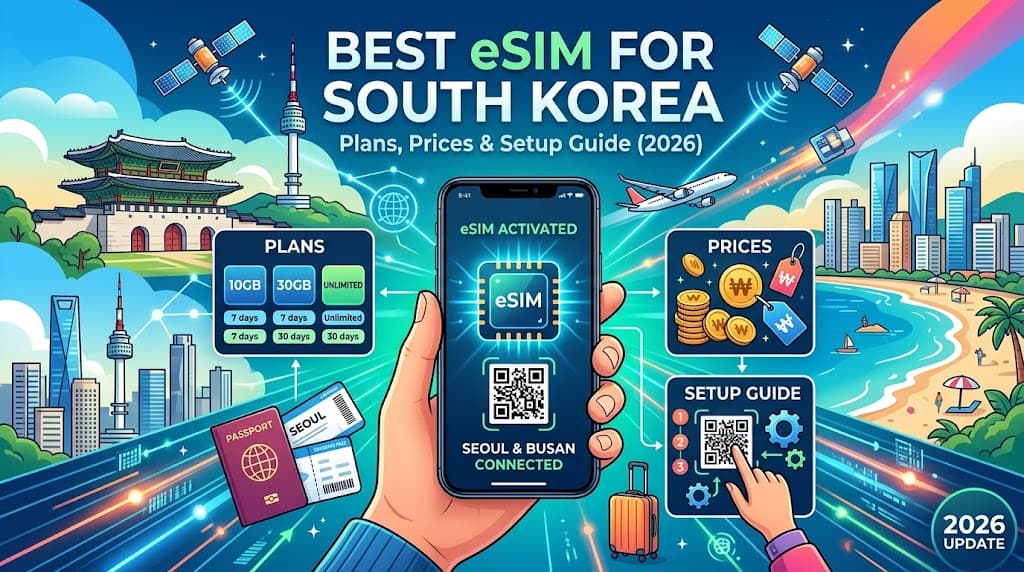
South Korea, a captivating blend of ancient traditions and futuristic innovation, calls to travelers worldwide. From the bustling streets of Seoul and the serene temples of Gyeongju to the volcanic landscapes of Jeju Island, every corner offers a unique experience. As you plan your adventure through this dynamic country, staying connected is paramount – for navigation, translation, sharing your journey, and keeping in touch with loved ones.
Gone are the days of fumbling with physical SIM cards or exorbitant roaming fees. Enter the eSIM: your seamless gateway to connectivity in South Korea. With an incredible 21 providers offering 109 active plans, and prices starting as low as $0.80 for a plan, up to a generous 50GB of data, finding the perfect eSIM for your South Korea trip has never been easier or more affordable.
At FindMyEsim.io, we’re dedicated to helping you navigate the world of eSIMs. This comprehensive guide will walk you through everything you need to know about using an eSIM in South Korea, ensuring you have reliable, high-speed internet from the moment you land.
Why You Need an eSIM for South Korea
Choosing an eSIM for your South Korea trip offers a multitude of advantages that enhance your travel experience:
- Instant Connectivity: Purchase your eSIM before you even depart and activate it upon arrival. No more searching for local SIM card vendors at the airport or dealing with language barriers. You'll be connected the moment your plane touches down at Incheon.
- Cost-Effectiveness: eSIM plans for South Korea are often significantly cheaper than international roaming charges from your home provider. With plans starting from just $0.80, you can enjoy budget-friendly data without sacrificing quality. You can even explore the Cheapest eSIM Plans in 2026: Your Ultimate Guide to Budget Connectivity to find even more ways to save.
- Flexibility & Convenience: An eSIM allows you to keep your primary physical SIM card active for calls and texts from home, while using the eSIM for all your data needs. This dual-SIM functionality means you won't miss important calls while enjoying local data.
- Easy Installation: Forget about tiny trays and ejector pins. Installing an eSIM is as simple as scanning a QR code or entering a few details. Learn more in our How to Install an eSIM on iPhone & Android (Step-by-Step Guide for 2026).
- Security: Relying on public Wi-Fi networks can expose you to security risks. An eSIM provides a private, secure connection, protecting your personal data while you browse, bank, and communicate.
- Environmental Friendliness: By eliminating the need for a physical plastic card, eSIMs contribute to reducing electronic waste, making them a greener choice for the environmentally conscious traveler.
- No Commitment: Most eSIM plans are prepaid and pay-as-you-go, meaning no contracts or hidden fees. You purchase exactly what you need for your trip duration.
For a deeper dive into the technology, check out What is an eSIM? The Complete Guide for 2026.
Best eSIM Providers for South Korea
With 21 providers and 109 active plans available for South Korea, the choice can seem overwhelming. That's where FindMyEsim.io comes in, helping you compare and find the perfect plan for your travel style and budget. We've compiled data on the top providers to give you a head start:
Here's a quick comparison of some of the leading eSIM providers for South Korea:
| Provider | Cheapest Plan (from) | Max Data Available | Number of Plans | Rating (out of 5) |
|---|---|---|---|---|
| iRoamly | $0.80 | 3GB | 14 | 0.0 |
| MicroEsim | $1.11 | 3GB | 10 | 0.0 |
| Roamic | $1.14 | 1GB | 2 | 0.0 |
| eSIM4Travel | $1.29 | 1GB | 2 | 0.0 |
| Cellesim | $1.31 | 50GB | 29 | 4.7 |
Provider Spotlight:
- Cellesim: The High-Volume & High-Rated Choice
If you're a heavy data user or need a reliable connection for an extended stay, Cellesim is a standout. With an impressive 4.7/5 rating and plans offering up to 50GB of data, Cellesim provides robust connectivity for everything from streaming to video calls. They also boast the largest selection of plans, giving you plenty of options. - iRoamly: The Budget Champion
For travelers keeping a close eye on their budget, iRoamly offers the absolute cheapest entry point at just $0.80. While their max data is 3GB, their range of 14 plans means you can likely find a small, affordable package for light usage or short trips. - MicroEsim: Another Cost-Effective Option
Similar to iRoamly, MicroEsim provides budget-friendly plans starting from $1.11, with up to 3GB of data across 10 different plans. A great alternative if iRoamly's specific plans don't quite fit your needs.
Remember, these are just a few highlights. To see all 109 plans from 21 providers and filter by data, validity, and price, visit our dedicated page to Compare South Korea eSIM Plans.
How Much Data Do You Need in South Korea?
The amount of data you'll need depends heavily on your travel style and how you plan to use your phone. South Korea is a country where connectivity is key, especially with its excellent navigation apps and social media culture. Here are some scenarios to help you estimate:
-
Light User (1-3 GB for 7-15 days):
- Usage: Primarily for essential navigation (Google Maps, Naver Map, Kakao Map), checking emails, light social media scrolling, and messaging apps like KakaoTalk or WhatsApp. You'll rely on hotel or café Wi-Fi when available for heavier tasks.
- Best For: Travelers on short trips (up to a week) or those who are diligent about connecting to Wi-Fi.
- Example Plans: Many providers offer plans in this range, including the cheapest options from iRoamly or MicroEsim.
-
Moderate User (5-10 GB for 7-15 days):
- Usage: Frequent navigation, regular social media updates (uploading photos/videos), moderate video streaming (e.g., watching a few YouTube videos on the subway), occasional video calls to family, and using translation apps extensively.
- Best For: Most tourists who want to stay connected without constantly worrying about data limits. Ideal for trips lasting 1-2 weeks.
- Example Plans: Many mid-range plans fall into this category, offering a good balance of data and price.
-
Heavy User / Digital Nomad (15 GB+ for 7-30 days):
- Usage: Constant internet use, frequent video calls, significant social media activity, high-definition video streaming, online gaming, tethering other devices (laptop, tablet), or even working remotely. You need to be connected almost all the time.
- Best For: Long-term travelers, digital nomads, or those who simply can't compromise on connectivity.
- Example Plans: Look for plans from providers like Cellesim, which offer up to 50GB of data, ensuring you have ample bandwidth for all your needs.
Pro Tip: Before you travel, check your typical monthly data usage on your current phone bill. This will give you a good benchmark for your needs abroad. Remember, it's often better to slightly overestimate than to run out of data halfway through your trip and need to top up (though topping up is usually an option with eSIMs!).
How to Set Up Your eSIM
Setting up an eSIM is incredibly straightforward, but it's always best to be prepared. We recommend installing your eSIM before you even leave home, or at least before you land in South Korea, where you might not have immediate Wi-Fi access.
Expert Tip: Always install your eSIM while you still have a stable internet connection (like your home Wi-Fi) to ensure a smooth activation process. You can then activate the plan when you arrive in South Korea.
Here’s a step-by-step guide to getting your eSIM up and running:
-
Check Device Compatibility: First, ensure your smartphone is eSIM compatible and unlocked. Most newer iPhones (XS, XR and later), Samsung Galaxy (S20 and later), Google Pixel (3 and later), and many other recent flagship devices support eSIM. If you're unsure, consult your phone manufacturer's website.
-
Choose Your Plan: Head over to FindMyEsim.io and compare the various South Korea eSIM plans. Filter by data amount, validity period, and price to find the one that best suits your travel needs.
-
Purchase Your eSIM: Once you've selected a plan, proceed to purchase it directly from the provider via FindMyEsim.io. You'll typically receive an email with a QR code or manual installation details almost instantly.
-
Install Your eSIM:
- For QR Code: Go to your phone's Settings > Mobile Data / Cellular > Add Data Plan / Add eSIM. Scan the QR code provided in your email.
- For Manual Installation: If you can't scan the QR code, you'll usually find an option to "Enter Details Manually." Copy and paste the SM-DP+ Address and Activation Code provided by your eSIM provider.
Name your new eSIM (e.g., "South Korea Travel") for easy identification.
-
Activate Your eSIM: Once installed, your eSIM profile will be added to your phone. To activate the plan upon arrival in South Korea:
- Go to Settings > Mobile Data / Cellular.
- Select your newly installed eSIM for "Mobile Data / Cellular Data."
- Ensure "Data Roaming" is turned ON for your eSIM (this is crucial for many international eSIMs to connect to local networks).
- Make sure your primary SIM is set to "Off" for data, or simply turn off mobile data for your home SIM to avoid accidental roaming charges.
-
Test Your Connection: Once you land and your phone connects to a local network, try opening a web page or a messaging app. If everything is working, you're good to go!
For more detailed instructions, including screenshots and specific steps for iPhone and Android devices, refer to our comprehensive guide: How to Install an eSIM on iPhone & Android (Step-by-Step Guide for 2026).
Coverage & Network Quality
South Korea boasts one of the most advanced and fastest mobile networks in the world, with widespread 5G availability. You can expect excellent coverage and blazing-fast speeds in urban areas and even reliable connectivity in most rural regions.
The primary mobile network operators in South Korea are:
- SK Telecom (SKT): The largest carrier, known for its extensive coverage and high speeds, especially in 5G.
- KT (Korea Telecom): Another major player, offering robust network performance and broad coverage.
- LG U+: A strong competitor, particularly noted for its 5G network and competitive pricing.
When you purchase an eSIM for South Korea, it will typically leverage the infrastructure of one or more of these major local carriers. This means you'll benefit from the same high-quality network and broad coverage that local residents enjoy.
What to Expect:
- 5G & 4G LTE: Expect strong 5G connectivity in major cities like Seoul, Busan, Daegu, and Gwangju. 4G LTE is ubiquitous across the rest of the country, ensuring you're rarely without a fast connection.
- Urban Areas: Coverage in cities is virtually flawless, even indoors and on public transport (subways, buses).
- Rural & Scenic Areas: While coverage might slightly dip in very remote mountainous regions or deep valleys, it's generally excellent throughout popular tourist destinations, national parks, and coastal areas, including Jeju Island.
Before purchasing, some eSIM providers will specify which local network they partner with. If network quality is a top priority for a specific region you're visiting, you might check this detail, though in South Korea, all three major carriers offer superb service.
Tips for Staying Connected in South Korea
Beyond your eSIM, here are some practical tips to ensure seamless connectivity and make your South Korea trip even smoother:
-
Download Essential Apps:
- Naver Map / Kakao Map: Google Maps is less accurate in South Korea. These local alternatives are essential for navigation, public transport, and finding local businesses.
- KakaoTalk: The dominant messaging app in South Korea. Most locals and businesses use it. Download it to communicate easily.
- Papago (Naver Translate): Often more accurate than Google Translate for Korean. Great for quick translations of signs, menus, or conversations.
- Subway Korea / KakaoMetro: For navigating Seoul's extensive subway system.
-
Utilize Offline Maps: Even with an eSIM, download offline maps for Naver Map or Kakao Map for areas you'll be visiting. This saves data and acts as a backup in rare instances of weak signal.
-
Public Wi-Fi as a Supplement, Not a Replacement: South Korea has abundant public Wi-Fi, especially in cafes, subway stations, and public spaces. While useful for saving data, it can be less secure and sometimes requires local authentication. Your eSIM provides a more reliable and secure primary connection.
-
Portable Wi-Fi Devices (Pocket Wi-Fi): These are an alternative to eSIMs, offering a portable hotspot. However, they require carrying an extra device, keeping it charged, and returning it. For solo travelers or couples, an eSIM is often more convenient and cost-effective.
-
Monitor Your Data Usage: Keep an eye on your data consumption through your phone settings or the eSIM provider's app/website. This helps you avoid running out unexpectedly, especially if you're on a plan with a smaller data allowance.
-
Leverage Dual SIM: If your phone supports it, use your eSIM for data and your home SIM for essential calls/texts (if you have an international roaming package for calls). This gives you the best of both worlds.
-
Emergency Numbers: Know the local emergency numbers: 112 for Police and 119 for Fire/Ambulance. Your eSIM data will allow you to use mapping apps to pinpoint your location if needed.
-
Consider a Local Tourist SIM (Physical): While eSIMs are incredibly convenient, if your phone isn't eSIM compatible, or you prefer a local phone number for calls, a physical tourist SIM (e.g., from KT, SKT, LG U+) can be purchased at airports or convenience stores. However, these typically require more setup and often cost more than comparable eSIM data-only plans.
Ready to experience seamless connectivity in South Korea? Head over to Buy South Korea eSIM and choose your perfect plan today!
Frequently Asked Questions (FAQ)
Is my phone compatible with eSIM in South Korea?
Most modern smartphones released in the last few years are eSIM compatible. This includes iPhone models XS, XR, and newer; Samsung Galaxy S20 series and newer, Note 20 series, and Z Flip/Fold devices; Google Pixel 3 and newer; and many other flagship Android devices. Always check your specific device's specifications or consult your manufacturer's website to confirm compatibility.
Can I make calls and send texts with a South Korea eSIM?
Most travel eSIMs for South Korea are data-only plans. This means they provide internet access but do not come with a local phone number for traditional calls or SMS. However, with your data connection, you can easily make calls and send messages using VoIP (Voice over Internet Protocol) apps like KakaoTalk, WhatsApp, FaceTime, or Zoom. Some specialized eSIM plans might offer a local number or call bundles, but these are less common for short-term tourist plans.
What if my eSIM doesn't work in South Korea?
If your eSIM isn't connecting, first check a few common issues: ensure your eSIM is selected as the primary for cellular data, that data roaming is enabled for the eSIM, and that your phone's airplane mode is off. Sometimes, a simple restart of your phone can resolve connection issues. If problems persist, verify the APN settings provided by your eSIM carrier (usually found in the installation email or their support section). If all else fails, contact your eSIM provider's customer support immediately; they can usually diagnose and fix the issue remotely.
Are there unlimited data eSIM plans for South Korea?
While some providers might advertise "unlimited" data plans, it's crucial to read the fine print. These plans often come with a Fair Usage Policy (FUP), meaning that after you've consumed a certain amount of high-speed data (e.g., 10GB, 20GB, or even 50GB), your speeds may be significantly throttled for the remainder of the plan's validity. For most travelers, a large data allowance like Cellesim's 50GB plan is more than sufficient and effectively behaves like unlimited data for typical travel use.
Can I top up my eSIM plan if I run out of data?
Yes, in most cases, you can easily top up your eSIM plan if you find yourself running low on data. Many eSIM providers offer options to purchase additional data directly through their website or a dedicated app. This flexibility is one of the key advantages of using an eSIM, allowing you to extend your connectivity without needing to buy a new SIM card.
FindMyEsim Editorial
eSIM Experts
The FindMyEsim team compares eSIM plans from 40+ providers to help travelers stay connected. We test, review, and analyze pricing so you can find the best deal for every destination.
Find the perfect eSIM for your next trip
Compare plans from 40+ providers across 170+ countries
Compare eSIM Plans