Best eSIM for Panama: Plans, Prices & Setup Guide (2026)
Seamlessly connect in Panama with an eSIM! Compare the best plans from top providers, understand data needs, and get step-by-step setup instructions for your 2026 trip.
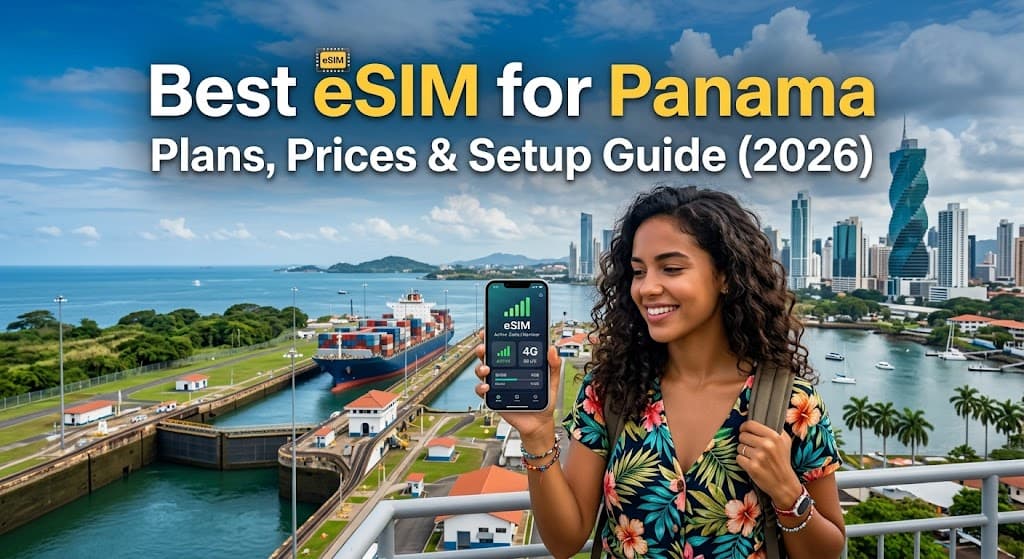
Best eSIM for Panama: Plans, Prices & Setup Guide (2026)
Panama, a vibrant bridge between two continents, offers an incredible tapestry of experiences – from the engineering marvel of the Panama Canal to the pristine beaches of San Blas, the lush rainforests of Boquete, and the bustling cosmopolitan energy of Panama City. As you plan your adventure to this Central American gem, staying connected is paramount, whether you're navigating city streets, sharing breathtaking photos, or coordinating with travel companions.
Gone are the days of fumbling with tiny physical SIM cards, searching for local stores, or enduring exorbitant roaming charges. Welcome to the future of travel connectivity: the eSIM. For travelers heading to Panama in 2026, an eSIM offers unparalleled convenience, flexibility, and often, significant cost savings.
At FindMyEsim.io, we understand the importance of reliable and affordable mobile data when you're exploring new horizons. That's why we've compiled this comprehensive guide to help you navigate the world of eSIMs for Panama. We'll cover everything from why an eSIM is your best choice, to comparing top providers, understanding data needs, and a simple step-by-step setup process.
Why You Need an eSIM for Panama
Imagine landing in Panama, stepping off the plane, and instantly having mobile data without hunting for a local SIM card vendor, dealing with language barriers, or worrying about registration forms. That's the power of an eSIM. Here's why it's the ultimate connectivity solution for your Panamanian journey:
Unmatched Convenience and Instant Activation
With an eSIM, the entire process is digital. You can purchase your plan online before you even leave home or upon arrival, receive a QR code via email, and activate it within minutes. There’s no need to swap physical cards, which means no risk of losing your home SIM or struggling with a tiny tray tool. Your connectivity is ready the moment you land, allowing you to book a ride, check maps, or message loved ones immediately.
Cost-Effectiveness Compared to Roaming
Traditional international roaming can quickly rack up a hefty bill. eSIM plans for Panama are specifically designed for travelers, offering competitive local rates that are significantly cheaper than what your home carrier might charge for international roaming. You get transparent pricing upfront, allowing you to budget your data expenses effectively without any surprises.
Flexibility to Keep Your Primary Number
One of the biggest advantages of an eSIM is the ability to maintain your primary phone number active on your physical SIM card. This means you can still receive important calls and texts from home while using your eSIM for all your data needs in Panama. You can easily switch between your primary and eSIM lines from your phone's settings, giving you complete control.
Multiple Plans, Tailored to Your Trip
Whether you're visiting for a weekend or an extended stay, there's an eSIM plan for you. From small data packages for light browsing to large bundles for heavy streaming and tethering, eSIM providers offer a range of options. If your initial plan runs out, topping up or purchasing a new plan is quick and easy, all done from your device.
Enhanced Security
Physical SIM cards can be lost, stolen, or damaged. An eSIM, being embedded in your device, eliminates these risks. It's a more secure way to stay connected, ensuring your mobile number and data plan are tied to your device.
Eco-Friendly Option
Choosing an eSIM is also a greener choice. By eliminating the need for plastic SIM cards and their packaging, you're making a small but meaningful contribution to reducing waste.
In a country as diverse and expansive as Panama, reliable internet access is crucial for everything from navigating the historic Casco Viejo to checking ferry schedules for the San Blas Islands, or simply staying in touch with family. An eSIM removes the hassle and ensures you're always connected, no matter where your Panamanian adventure takes you.
Best eSIM Providers for Panama
When it comes to choosing an eSIM for Panama, you're spoiled for choice! FindMyEsim.io lists an impressive 28 providers offering eSIM services for Panama, with a total of 99 active plans available. This wide selection ensures you can find a plan that perfectly matches your data needs and budget. The cheapest plan available starts at an incredible $2.90, proving that staying connected doesn't have to break the bank, and for heavy users, you can find plans offering up to 100GB of data.
To help you make an informed decision, let's take a closer look at some of the top providers for Panama, based on the data available on FindMyEsim.io:
- RedteaGO: A fantastic budget-friendly option, RedteaGO offers plans starting from just $2.90. While their cheapest plans might offer up to 1GB, they provide reliable connectivity for essential tasks. With 2 plans available, it’s a great choice for short trips or light data users.
- GIGAGO: Starting from $3.90, GIGAGO provides up to 2GB of data across its 2 available plans. This makes it another strong contender for travelers who need a bit more data for social media or navigation without a hefty price tag.
- ByteSIM: Also beginning at $3.90, ByteSIM offers plans with up to 2GB of data from its 2 options. ByteSIM is known for its straightforward plans, making it easy to pick the right one for your trip.
- iRoamly: With plans from $4.00, iRoamly also offers up to 2GB of data across its 2 plans. It’s a reliable choice for those looking for competitive pricing and sufficient data for typical travel usage.
- Monty eSIM: Slightly higher in starting price at $4.50, Monty eSIM offers plans with up to 3GB of data from its 2 options. This provider is excellent if you need a little extra data buffer for your travels.
While these providers currently show a 0.0/5 rating on our platform, this often indicates that there haven't been enough user reviews yet to generate a score, rather than a negative experience. Many new and emerging eSIM providers offer excellent service at competitive prices.
Panama eSIM Provider Comparison Table
To give you a clearer picture, here's a comparison of these top providers:
| Provider | Cheapest Plan (Price) | Max Data Available | Number of Plans | Rating |
|---|---|---|---|---|
| RedteaGO | $2.90 | 1GB | 2 | 0.0/5 |
| GIGAGO | $3.90 | 2GB | 2 | 0.0/5 |
| ByteSIM | $3.90 | 2GB | 2 | 0.0/5 |
| iRoamly | $4.00 | 2GB | 2 | 0.0/5 |
| Monty eSIM | $4.50 | 3GB | 2 | 0.0/5 |
Remember, this is just a snapshot. We highly recommend visiting FindMyEsim.io to compare all Panama eSIM plans. Our platform allows you to filter by data amount, validity, price, and more, ensuring you find the perfect match for your travel needs. Once you've made your choice, you can easily purchase your Panama eSIM directly through our site.
How Much Data Do You Need in Panama?
Estimating your data needs is crucial for choosing the right eSIM plan and avoiding running out of data or overpaying for data you won't use. Your data consumption in Panama will depend heavily on your travel style and how you intend to use your phone. Here’s a general guide:
Light User (1-3 GB per week)
- Who you are: You primarily use your phone for essential navigation, checking emails, occasional messaging on WhatsApp, and light social media browsing. You'll rely heavily on Wi-Fi whenever available.
- Activities: Using Google Maps to find directions, booking a taxi, checking hotel reservations, sending messages to family, quick searches for tourist information.
- Panama context: Ideal for travelers mostly staying in hotels or areas with good public Wi-Fi, and who want connectivity primarily for emergencies or quick look-ups.
Moderate User (5-10 GB per week)
- Who you are: You enjoy staying connected, sharing photos and videos on social media, making occasional video calls, and streaming some music or short videos. You still use Wi-Fi when available but appreciate consistent mobile data.
- Activities: Frequent social media updates (Instagram, Facebook), regular WhatsApp calls, streaming music during commutes, researching attractions, uploading photos to cloud services, occasional short video streaming.
- Panama context: Perfect for explorers who want to share their journey in real-time, stay in touch with friends and family via video calls, and use data extensively for planning and entertainment on the go.
Heavy User (10 GB+ or Unlimited per week)
- Who you are: You rely on your phone for almost everything. This includes extensive social media use, frequent video calls, streaming high-definition content, online gaming, and potentially tethering other devices (like a laptop or tablet). You might be working remotely or traveling for an extended period.
- Activities: Daily video conferencing, heavy video streaming (Netflix, YouTube), large file uploads/downloads, using your phone as a hotspot for other devices, extensive online gaming.
- Panama context: Essential for digital nomads, business travelers, or families who need to keep multiple devices connected, or anyone who can't compromise on continuous, high-speed connectivity. Remember, some providers offer up to 100GB of data for Panama, catering to even the most demanding users.
Factors to Consider:
- Trip Duration: A 7-day trip will require less data than a month-long adventure. Most eSIM plans are valid for specific durations (e.g., 7, 15, 30 days).
- Wi-Fi Availability: If your hotel, cafes, and attractions offer reliable free Wi-Fi, you might need less mobile data.
- Offline Content: Download maps, movies, music, and guidebooks before you travel to save data.
- Data Monitoring: Most smartphones allow you to track your data usage in settings. Keep an eye on it to avoid unexpected depletion.
Once you have an idea of your data needs, head over to FindMyEsim.io to easily filter and compare plans that fit your requirements perfectly.
How to Set Up Your eSIM
Setting up an eSIM is a straightforward process, designed to get you connected quickly and easily. While the exact steps can vary slightly between iPhone and Android devices, the general procedure is similar. Before you start, make sure your phone is eSIM compatible.
Prerequisites:
- eSIM-Compatible Device: Most newer smartphones (iPhone XS/XR and later, Samsung Galaxy S20 and later, Google Pixel 3 and later) support eSIM. Check your device's settings or manufacturer's website if you're unsure.
- Internet Connection: You'll need an active Wi-Fi connection (or your existing mobile data) to download the eSIM profile.
- Unlocked Phone: Your phone must be unlocked by your home carrier to use an eSIM from another provider.
Step-by-Step Installation Guide:
For a detailed visual guide, you can always refer to our comprehensive article: How to Install an eSIM on iPhone & Android (Step-by-Step Guide for 2026).
1. Purchase Your eSIM Plan
First, select your desired eSIM plan for Panama from a provider listed on FindMyEsim.io. After comparing options on our platform, you can proceed to buy your Panama eSIM. You'll typically receive an email containing a QR code or manual installation details immediately after purchase.
2. Install the eSIM Profile
For iPhone Users:
- Go to Settings.
- Tap Cellular or Mobile Data.
- Tap Add eSIM or Add Data Plan.
- Choose Use QR Code and scan the QR code provided by your eSIM provider. If you don't have another device to display the QR code, tap Enter Details Manually and input the SM-DP+ Address and Activation Code.
- Follow the on-screen prompts to label your new eSIM (e.g., “Panama Travel”) and set your preferred default line for data and calls.
For Android Users (steps may vary slightly by manufacturer):
- Go to Settings.
- Tap Network & internet (or Connections on Samsung devices).
- Tap SIMs or Mobile network.
- Tap Add more or + next to SIMs.
- Tap Download a SIM instead? or Add using QR code.
- Scan the QR code provided by your eSIM provider. Alternatively, you can enter the details manually.
- Follow the on-screen instructions to activate and name your eSIM.
3. Activate and Configure (Upon Arrival in Panama)
Once you arrive in Panama:
- Go back to your phone's Cellular/Mobile Data (iPhone) or Network & internet/SIMs (Android) settings.
- Ensure your newly installed eSIM is turned on.
- Select your eSIM as your primary line for Mobile Data.
- Make sure Data Roaming is enabled for your eSIM (this is typically required for eSIMs from international providers, but it's not traditional roaming charges).
- In rare cases, you might need to manually configure the Access Point Name (APN) settings. Your eSIM provider will typically include these details in their activation email or support documentation if needed.
4. Keep Your Primary SIM Active (Optional)
To continue receiving calls and texts on your home number, ensure your physical SIM remains active and set to handle calls and messages, while your eSIM handles data.
And that's it! You should now be connected to the internet in Panama, ready to explore without interruption.
Coverage & Network Quality in Panama
Panama's telecommunications infrastructure is relatively well-developed, especially in urban centers and popular tourist destinations. eSIM providers typically partner with one or more of the major local network operators to provide service. The primary mobile network operators in Panama are:
- +Movil (Cable & Wireless Panama): Often considered the largest and most established provider, offering extensive coverage across the country.
- Tigo (formerly Movistar): A strong competitor with good coverage in urban and many rural areas.
- Claro: Another significant player, especially in cities and along major highways.
Where to Expect Good Coverage:
- Panama City: Excellent 4G LTE and increasingly 5G coverage throughout the metropolitan area, including business districts, residential zones, and tourist spots like Casco Viejo and the Amador Causeway.
- Major Tourist Hubs: Areas like Boquete, Coronado, El Valle de Antón, and Bocas del Toro generally have good to decent coverage, especially in town centers.
- Panama Canal Zone: Reliable connectivity around the canal's visitor centers and operational areas.
- Major Highways: Connectivity is generally stable along the Pan-American Highway and other main routes.
Areas with Limited or No Coverage:
- Remote Indigenous Territories: Regions like the Darién Gap (eastern border with Colombia) and parts of the Emberá-Wounaan comarcas will have very limited or no mobile signal.
- San Blas Islands (Guna Yala): While some islands might have intermittent signal, coverage is generally sparse and unreliable. Don't count on strong connectivity here; embrace the digital detox!
- Dense Rainforests & Mountainous Regions: Deep within national parks or high in the mountains (outside of towns like Boquete) can be dead zones.
- Rural Areas: As you venture further from towns and major roads, network quality can degrade to 3G or even lose signal entirely.
What to Expect with Your eSIM:
Your eSIM will leverage the network of its local partner(s) in Panama. This means the coverage you experience will be comparable to that of a local SIM card from the partnering operator. Most eSIM providers aim to offer the best available network quality, often defaulting to the strongest signal among their partners.
While FindMyEsim.io helps you compare plans and prices, we recommend checking the specific eSIM provider's website (e.g., RedteaGO, GIGAGO, ByteSIM) for detailed coverage maps if you plan to visit very remote areas. However, for most travelers sticking to well-trodden paths, an eSIM will provide robust and reliable connectivity.
Tips for Staying Connected in Panama
Beyond your eSIM, here are some practical tips to ensure you stay connected and make the most of your mobile data during your Panamanian adventure:
1. Download Offline Maps and Content
Before you head out, especially to areas where connectivity might be spotty (like the interior of the Azuero Peninsula or certain islands), download offline maps (Google Maps, Maps.me) for navigation. Download any movies, music, or e-books you might want for entertainment to save data and ensure access even without a signal.
2. Utilize Free Wi-Fi Whenever Possible
Most hotels, hostels, cafes, restaurants, and even some public spaces in Panama City offer free Wi-Fi. Use these opportunities to download large files, update apps, or make video calls to conserve your eSIM data. Always use a Virtual Private Network (VPN) when connecting to public Wi-Fi for enhanced security.
3. Carry a Portable Power Bank
Extensive use of mobile data, GPS navigation, and camera features can quickly drain your phone's battery. A fully charged power bank is an essential accessory for any traveler, ensuring your phone stays powered throughout your day of exploration.
4. Monitor Your Data Usage
Regularly check your data consumption through your phone's settings or your eSIM provider's app (if available). This helps you stay within your plan limits and top up if necessary. Set data usage warnings on your phone to alert you when you're approaching your limit.
5. Use Data-Saving Settings on Apps
Many apps, especially social media and streaming platforms, have data-saving modes. Enable these in the app settings to reduce background data usage and lower the quality of streamed content, thereby extending your eSIM data.
6. Leverage VoIP Apps for Calls and Texts
While most eSIMs for Panama are data-only, you can easily make calls and send messages using popular Voice over IP (VoIP) apps like WhatsApp, Facebook Messenger, Skype, or Google Meet. WhatsApp is particularly popular in Panama for local communication.
7. Have a Backup Plan (Optional)
While eSIMs are highly reliable, it's always wise to have a backup. This could mean carrying a small amount of cash for emergencies (many local vendors are cash-only anyway) or knowing where you can buy a local physical SIM card if your eSIM has unexpected issues. However, the convenience and reliability of eSIMs mean this is rarely necessary.
8. Understand Local SIM Alternatives
While an eSIM offers unparalleled convenience, a local physical SIM from providers like +Movil, Tigo, or Claro is an alternative. However, be prepared for:
- Registration: You'll need your passport and possibly other details for registration, which can be time-consuming.
- Finding a Store: Locating an official store, especially outside major cities, can be a hassle.
- Language Barrier: Staff might not always speak English.
- Physical Swap: You'll have to remove your home SIM, risking loss.
For most short-term travelers, the ease of an eSIM far outweighs the marginal potential savings or slightly better local call rates of a physical SIM.
Frequently Asked Questions (FAQ)
Here are some common questions travelers have about using eSIMs in Panama:
What is an eSIM and how does it work?
An eSIM (embedded SIM) is a digital SIM card that's built directly into your smartphone or other compatible device. Instead of a physical plastic card, the eSIM profile is downloaded and activated electronically. It functions just like a traditional SIM, allowing you to connect to a mobile network, but offers greater flexibility and convenience, especially for international travel. To dive deeper, check out What is an eSIM? The Complete Guide for 2026.
Is my phone compatible with eSIM?
Most newer smartphone models released since 2018 are eSIM compatible. This includes iPhone XS/XR and newer, Samsung Galaxy S20 series and newer, Google Pixel 3 and newer, and many other flagship devices from brands like Huawei, Motorola, and Oppo. To confirm, check your phone's settings (e.g., iPhone: Settings > Cellular > Add eSIM; Android: Settings > Network & internet > SIMs) or consult your device manufacturer's specifications. Ensure your phone is also unlocked by your home carrier.
Can I make calls and send texts with an eSIM in Panama?
Most travel eSIM plans, including those for Panama, primarily provide data services. This means they generally do not come with a local Panamanian phone number for traditional calls and SMS. However, you can easily make calls and send texts using internet-based communication apps like WhatsApp, FaceTime, Skype, Zoom, or Google Meet, which rely on your eSIM's data connection. You can also keep your home SIM active for calls and texts while using the eSIM for data.
How do I choose the best eSIM plan for Panama?
To choose the best eSIM plan, consider three main factors: your data needs (how much data you'll use), the duration of your trip (how long you need the plan for), and your budget. Start by estimating your data usage based on your travel habits (light, moderate, heavy user). Then, visit FindMyEsim.io to compare available plans for Panama. You can filter by data amount, validity period, and price to find a plan that perfectly aligns with your requirements. Don't forget to check our guide on Cheapest eSIM Plans in 2026: Your Ultimate Guide to Budget Connectivity for more tips.
What if I have issues with my eSIM in Panama?
If you encounter any problems with your eSIM in Panama, here are a few troubleshooting steps:
- Restart Your Phone: Often, a simple restart can resolve connectivity issues.
- Check Settings: Ensure your eSIM is enabled and selected for mobile data, and that data roaming is turned on for the eSIM line (if required by the provider).
- Verify APN Settings: In rare cases, you might need to manually enter APN settings. These would be provided by your eSIM carrier.
- Contact eSIM Provider Support: If problems persist, reach out to the customer support of your eSIM provider. They can offer specific assistance and check your plan status.
Conclusion
Traveling to Panama in 2026 promises an unforgettable adventure, and with an eSIM, you can ensure your connectivity is as seamless and stress-free as possible. From the moment you land, you'll have instant access to maps, translation tools, social media, and communication with loved ones, all without the hassle of physical SIM cards or the shock of unexpected roaming fees.
The vast array of eSIM plans available for Panama, ranging from budget-friendly options starting at just $2.90 to high-data packages up to 100GB, means there's a perfect solution for every type of traveler. By leveraging the convenience of digital activation and competitive pricing, an eSIM empowers you to focus on experiencing the rich culture, stunning landscapes, and vibrant energy of Panama.
Ready to secure your connectivity for Panama? Head over to FindMyEsim.io to compare all the best eSIM plans for Panama and purchase your ideal plan today. Stay connected, stay informed, and enjoy every moment of your Panamanian journey!
FindMyEsim Editorial
eSIM Experts
The FindMyEsim team compares eSIM plans from 40+ providers to help travelers stay connected. We test, review, and analyze pricing so you can find the best deal for every destination.
Find the perfect eSIM for your next trip
Compare plans from 40+ providers across 170+ countries
Compare eSIM Plans