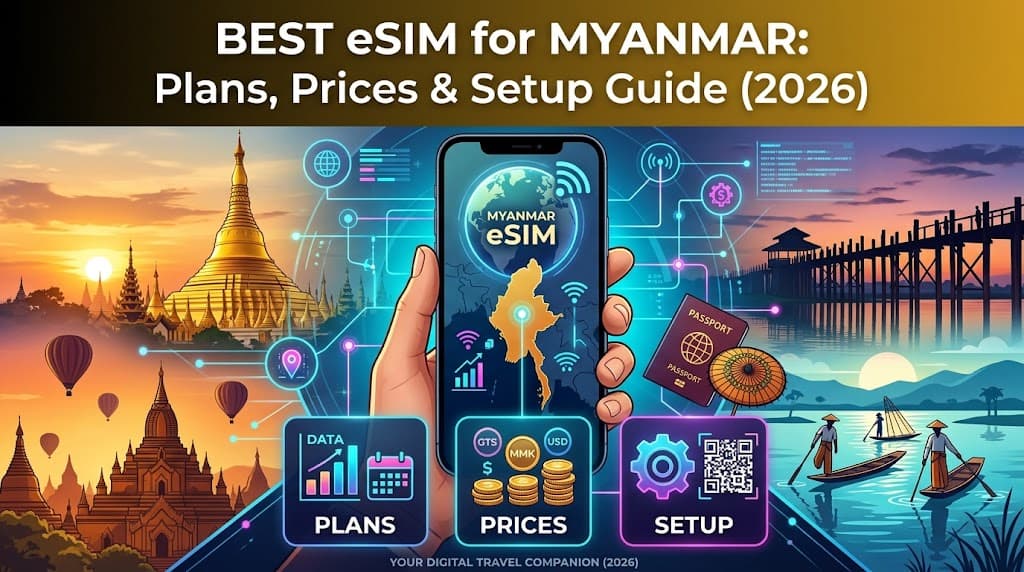
Best eSIM for Myanmar: Plans, Prices & Setup Guide (2026)
Stay connected in Myanmar with an eSIM! Compare the best plans from Holafly, Yoho Mobile, and more. Get setup guides, coverage info, and local tips for your 2026 trip.
Myanmar, the Golden Land, beckons travelers with its ancient temples, bustling markets, and serene landscapes. From the shimmering pagodas of Yangon to the ethereal plains of Bagan and the tranquil waters of Inle Lake, this Southeast Asian gem offers an unforgettable journey. However, navigating a new country also means navigating its connectivity options – and in Myanmar, staying connected can sometimes present unique challenges.
Gone are the days of fumbling with tiny plastic SIM cards, hunting for local stores, or grappling with registration forms in a foreign language. The modern traveler's essential companion is the eSIM, and for Myanmar, it's a game-changer. An eSIM transforms your travel experience, offering seamless, instant connectivity that lets you share your adventures, find your way, and stay in touch with loved ones without a hitch.
At FindMyEsim.io, we're dedicated to helping you find the perfect eSIM plan for any destination, and Myanmar is no exception. This comprehensive guide will walk you through everything you need to know about using an eSIM in Myanmar in 2026, from choosing the best provider and understanding data needs to setting up your plan and navigating local network conditions.
Why You Need an eSIM for Myanmar
Traveling to Myanmar offers a unique blend of ancient traditions and emerging modernity. While the country is making strides in infrastructure, staying connected reliably and affordably can still be a hurdle for visitors. This is precisely where an eSIM shines, offering a multitude of benefits over traditional physical SIM cards.
The Challenges of Traditional SIM Cards in Myanmar
- Finding a Local Provider: Upon arrival, you'd typically need to locate a mobile store, which might be in an unfamiliar part of the airport or city.
- Language Barriers: Explaining your needs and understanding plan details can be difficult without a common language.
- Registration Requirements: Local SIM cards often require passport registration, which can be time-consuming and involve paperwork.
- Physical Swapping: You risk losing your home SIM card when swapping it out, and your device might not support dual physical SIMs.
- Limited Flexibility: Once you've purchased a local SIM, changing plans or providers often means buying a new physical card.
The Unbeatable Advantages of an eSIM
An eSIM, or embedded SIM, is a digital SIM card that's built directly into your compatible smartphone or device. It eliminates the need for a physical card, bringing unparalleled convenience and flexibility to your travels:
- Instant Connectivity: Purchase your eSIM plan online before you even depart, and activate it upon arrival. No more searching for SIM card vendors after a long flight.
- Seamless Setup: Installation is usually as simple as scanning a QR code. You can do it from the comfort of your home or hotel, using Wi-Fi. For a detailed walkthrough, check out our guide: How to Install an eSIM on iPhone & Android (Step-by-Step Guide for 2026).
- Cost-Effectiveness: Compare Myanmar eSIM Plans from various international providers on FindMyEsim.io to find the most competitive rates for your data needs. This often beats expensive international roaming charges.
- Flexibility and Control: Store multiple eSIM profiles on a single device, allowing you to switch between plans for different countries or even different data needs within Myanmar. Keep your primary number active for calls and texts while using the eSIM for data.
- Enhanced Security: With no physical card to lose or steal, your connectivity is more secure.
- Environmental Friendliness: Less plastic waste contributes to more sustainable travel.
In a country where internet infrastructure can be variable, having a reliable, pre-arranged data connection is invaluable for everything from navigating with maps to translating phrases or staying safe. An eSIM ensures you're prepared for whatever your Myanmar adventure throws your way. To dive deeper into the world of eSIMs, read our comprehensive guide: What is an eSIM? The Complete Guide for 2026.
Best eSIM Providers for Myanmar
Choosing the right eSIM provider is crucial for a smooth travel experience. At FindMyEsim.io, we make this process simple by aggregating and comparing plans from a wide range of providers. For Myanmar, our database shows a robust selection, with 14 providers offering a total of 98 active plans, ensuring you have plenty of options to find one that fits your budget and data requirements.
The cheapest plan available for Myanmar starts at an incredibly affordable $3.90, and you can get up to 20GB of data, catering to even the most data-hungry travelers. Let's take a closer look at some of the top-rated and most popular providers for Myanmar eSIMs:
- Holafly: A well-known name in the travel eSIM market, Holafly often focuses on providing unlimited data plans for many destinations. While our database indicates '0GB' as max data for Myanmar, this is typically indicative of an unlimited or generous daily capped data offering, where a specific GB limit isn't the primary metric for their plans. They boast a strong rating of 4.3/5 from user reviews, reflecting reliable service and customer satisfaction. With 7 plans available, they are a solid choice for those who don't want to worry about running out of data.
- Yoho Mobile: Offering the most extensive range of plans with 28 options, Yoho Mobile provides flexibility for various travel durations and data needs. Their plans start from $4.54 and go up to 10GB of data, making them a versatile choice for budget-conscious travelers and those requiring a moderate amount of data.
- SimOptions: A popular marketplace for various travel SIM and eSIM products, SimOptions offers 4 plans for Myanmar, starting from $4.90 and providing up to 10GB of data. They are known for their straightforward options and ease of purchase.
- Roamic: With plans starting from $5.76 and also offering up to 10GB of data across 4 plans, Roamic is another competitive option for travelers seeking reliable connectivity in Myanmar.
- eSIMCard: Providing 14 plans, eSIMCard offers a good selection for different requirements, with prices from $6.72 and data up to 10GB.
To give you a clearer picture, here's a comparison table of the top eSIM providers for Myanmar based on our latest data:
| Provider | Cheapest Plan | Max Data Available | Rating |
|---|---|---|---|
| Holafly | $3.90 | 0GB (Unlimited/Unique Data Model) | 4.3/5 |
| Yoho Mobile | $4.54 | 10GB | 0.0/5 |
| SimOptions | $4.90 | 10GB | 0.0/5 |
| Roamic | $5.76 | 10GB | 0.0/5 |
| eSIMCard | $6.72 | 10GB | 0.0/5 |
Note on Holafly's '0GB' Max Data: As mentioned, Holafly is renowned for its unlimited data plans in many destinations. The '0GB' entry in our database for Myanmar typically signifies that their offerings are either truly unlimited or structured with generous daily data caps, where a fixed GB maximum isn't applicable in the traditional sense. This means you can use data freely without worrying about hitting a hard limit, making it ideal for heavy users or those who prefer peace of mind.
When selecting your provider, consider not just the price and data, but also the duration of your trip and any specific features you might need. FindMyEsim.io allows you to filter and compare all these options side-by-side. Ready to find your perfect plan? Compare Myanmar eSIM Plans now!
How Much Data Do You Need in Myanmar?
Estimating your data needs for a trip can be tricky, but it's essential for choosing the most cost-effective eSIM plan. Running out of data mid-trip can be inconvenient, while overpaying for unused data is a waste. Myanmar's connectivity landscape means you'll likely rely more heavily on mobile data than in some other destinations, as public Wi-Fi can be less reliable or widely available.
Here’s a breakdown of typical data usage scenarios to help you decide:
- Light User (1-3 GB per week):
- Occasional map checks and navigation (Google Maps, Maps.me).
- Messaging apps (WhatsApp, Messenger) for essential communication.
- Brief social media updates or email checks.
- Looking up information on attractions or local transport.
Ideal for travelers who primarily use data for essential navigation and communication, relying on hotel Wi-Fi for heavier tasks.
- Moderate User (5-10 GB per week):
- Frequent use of navigation and translation apps.
- Regular social media browsing and photo uploads.
- Some light streaming of music or short videos.
- Video calls with family and friends a few times a week.
- Using local apps for transport (if available and applicable) or food delivery.
Suitable for most tourists who want to stay connected and share their experiences without constant worry about data limits.
- Heavy User (15+ GB per week):
- Extensive use of all apps, including frequent video calls.
- Streaming high-definition videos or movies.
- Working remotely or relying on a hotspot for other devices.
- Frequent large file uploads/downloads.
- Constant social media engagement and live updates.
Best for digital nomads, business travelers, or anyone who needs constant, high-volume internet access. Remember that the maximum data available for Myanmar eSIMs is 20GB.
Myanmar-Specific Considerations:
- Navigation: Getting around cities like Yangon or Mandalay, or finding your way between Bagan's temples, will heavily rely on GPS and map apps. Offline maps are helpful but real-time updates require data.
- Translation: Language barriers can be significant. A reliable data connection for translation apps (like Google Translate) is invaluable for interacting with locals and understanding menus or signs.
- Communication: WhatsApp and Messenger are widely used for communication, even with local businesses and guides.
- Emergency Access: Having data ensures you can quickly access emergency services, contact your embassy, or look up critical information if needed.
Think about the length of your trip and your typical daily data habits. If you're planning a two-week adventure and anticipate moderate usage, a 10GB plan might suffice, especially if supplemented by hotel Wi-Fi. If you're traveling for a month or are a heavy data user, consider multiple smaller plans or a larger single plan if available. Don't forget to check out our guide to Cheapest eSIM Plans in 2026: Your Ultimate Guide to Budget Connectivity for more tips on saving money.
Ultimately, it's often better to have a little more data than you think you'll need, especially in a destination where reliable Wi-Fi might not always be guaranteed. You can always top up your eSIM if your provider offers that option, but it's usually more cost-effective to buy a sufficient plan upfront. Head over to FindMyEsim.io to compare plans and find the perfect data package for your Myanmar adventure.
How to Set Up Your eSIM
One of the greatest advantages of using an eSIM for your Myanmar trip is the ease of setup. You can typically purchase and install your eSIM before you even leave home, ensuring you're connected the moment you land. Here’s a step-by-step guide to getting your eSIM up and running:
Before You Start: Prerequisites
- eSIM-Compatible Device: Ensure your smartphone or tablet supports eSIM technology. Most newer models (iPhone XS/XR and later, Samsung Galaxy S20 and later, Google Pixel 3 and later, etc.) are compatible.
- Unlocked Phone: Your device must be unlocked by your home carrier to use an eSIM from a different provider.
- Wi-Fi Access: You'll need a stable Wi-Fi connection during the installation process to download the eSIM profile.
Step-by-Step eSIM Installation Guide
- Purchase Your Myanmar eSIM:
Visit FindMyEsim.io to browse and buy your Myanmar eSIM plan. Choose a plan that matches your data needs and trip duration from our comparison platform. After purchase, you'll receive an email with a QR code or manual installation details.
- Access Your Phone's Settings:
Go to your phone's 'Settings' menu.
- Navigate to Cellular/Mobile Data Settings:
- For iPhone: Tap 'Cellular' or 'Mobile Data'.
- For Android: Tap 'Network & Internet', then 'Mobile Network' or 'SIM card & mobile network'. The exact wording may vary slightly depending on your phone's manufacturer (e.g., Samsung, Google Pixel).
- Add Your eSIM:
- Look for an option like 'Add eSIM', 'Add Data Plan', or 'Download a SIM'.
- Your phone will likely prompt you to 'Use QR Code' or 'Enter Details Manually'.
- Scan QR Code or Enter Details:
- QR Code (Recommended): Use your phone's camera to scan the QR code provided in your purchase confirmation email. Make sure the QR code is well-lit and fully visible.
- Manual Entry: If scanning isn't possible, select the manual entry option and input the SM-DP+ Address and Activation Code (or similar details) provided by your eSIM provider.
- Label Your eSIM:
Once the eSIM profile is downloaded, your phone will ask you to label it. Choose a descriptive name like "Myanmar Travel" or "Work" to easily distinguish it from your primary SIM.
- Set Up Data Preferences:
- Primary Line: Decide which line you want to use as your default for calls and messages. You can usually keep your home number for calls and texts.
- Mobile Data: Select your newly installed Myanmar eSIM as your default line for mobile data.
- Data Roaming: Crucially, ensure that 'Data Roaming' is turned ON for your Myanmar eSIM. If you have a physical SIM from your home country, make sure data roaming is turned OFF for that SIM to avoid unexpected charges.
- Activate Upon Arrival:
Most travel eSIMs activate automatically when they connect to a supported network in the destination country. Simply ensure your data roaming is on for the eSIM, and you should be connected shortly after landing in Myanmar.
Troubleshooting Tips:
- Restart Your Phone: Sometimes, a simple restart can resolve connectivity issues.
- Check APN Settings: While rare for travel eSIMs, some providers might require specific APN settings. These would be included in your eSIM purchase confirmation. You can usually find APN settings under your mobile network options.
- Network Selection: If you're not getting a signal, try manually selecting a network operator from your phone's mobile network settings.
- Contact Support: If you've tried everything and still have no connection, reach out to your eSIM provider's customer support for assistance.
For a more detailed, device-specific guide, refer to our expert article: How to Install an eSIM on iPhone & Android (Step-by-Step Guide for 2026). By following these steps, you'll be well on your way to seamless connectivity throughout your Myanmar adventure!
Coverage & Network Quality in Myanmar
Understanding the mobile network landscape in Myanmar is key to setting realistic expectations for your connectivity. While major cities generally offer decent coverage, venturing into more remote areas can present challenges.
Major Local Carriers
Myanmar's primary mobile network operators are:
- MPT (Myanma Posts and Telecommunications): The state-owned incumbent, often has the widest coverage, particularly in rural areas.
- Atom (formerly Telenor Myanmar): A strong competitor, especially in urban centers, known for its 4G speeds.
- MyTel (formerly Ooredoo Myanmar): Another significant player, also focusing on 4G services in populated regions.
Most international eSIM providers for Myanmar will leverage the infrastructure of one or more of these local carriers through roaming agreements. The specific network your eSIM uses will depend on the provider you choose, so it's a good idea to check their details if you have a preference or specific travel route in mind.
General Coverage & Speeds
- Urban Areas: In major cities like Yangon, Mandalay, and popular tourist destinations such as Bagan and Inle Lake, you can generally expect good 4G LTE coverage. Speeds are typically sufficient for browsing, social media, messaging, and even some streaming.
- Rural & Remote Areas: As you move away from urban centers and main tourist routes into more rural, mountainous, or less developed regions, network coverage can become spotty. You might find yourself dropping to 3G or even 2G (EDGE/GPRS) speeds, or losing signal entirely. This is common in many developing countries and part of the adventure.
- Consistency: Even within urban areas, network quality can sometimes be variable, experiencing fluctuations in speed or occasional drops due to network congestion or infrastructure limitations.
Impact of Local Conditions
It's important to be aware of the broader context in Myanmar:
- Infrastructure Development: While significant progress has been made, internet infrastructure is still developing compared to Western countries or even some neighboring Southeast Asian nations.
- Potential Restrictions: In recent years, there have been instances of internet shutdowns or restrictions in certain areas due to political circumstances. While eSIMs offer flexibility by potentially connecting to different networks, they are not immune to country-wide or regional internet disruptions. Travelers should stay informed about local conditions before and during their trip.
Practical Advice:
- Download Offline Content: Always download offline maps (Google Maps, Maps.me), translation packs, and any essential travel documents before heading out, especially if you plan to visit remote areas.
- Check Provider Details: Before purchasing, check if your chosen eSIM provider specifies which local network(s) they partner with. This can give you an idea of the expected coverage.
- Manage Expectations: Embrace the opportunity to disconnect in truly remote areas. Enjoy the scenery without the constant pull of notifications.
By understanding these factors, you can better prepare for your trip and ensure you have the best possible connectivity experience in Myanmar.
Tips for Staying Connected in Myanmar
Beyond choosing the right eSIM, there are several practical tips that can help you maintain reliable connectivity and make the most of your mobile data in Myanmar.
Beyond Your eSIM: Other Connectivity Options
- Public Wi-Fi:
- Availability: Most hotels, guesthouses, and a growing number of cafes and restaurants in major cities offer Wi-Fi.
- Quality: The quality and speed of public Wi-Fi can vary significantly. Don't rely on it for critical tasks or heavy data usage. It might be slow, intermittent, or require multiple login attempts.
- Security: Be cautious when using public Wi-Fi. Avoid accessing sensitive information like online banking unless you're using a Virtual Private Network (VPN).
- Local Physical SIM Cards (as an alternative or backup):
- While eSIMs are incredibly convenient, if your phone isn't eSIM compatible, or if you plan a very long stay and prefer a local number, a physical SIM card is still an option.
- Providers: MPT, Atom, and MyTel are the main local carriers.
- Purchase & Registration: You'll need to purchase these at authorized stores and register them with your passport, which can be a more time-consuming process than an eSIM.
eSIM Best Practices for Myanmar
- Download Offline Resources:
- Maps: Before you leave your hotel's Wi-Fi, download offline maps for Google Maps or use an app like Maps.me, which works entirely offline. This is invaluable when data is spotty.
- Translation: Download language packs for translation apps so you can use them without an internet connection.
- Travel Guides: Save digital copies of your travel guides, itineraries, and booking confirmations to your device.
- Conserve Data:
- Background App Refresh: Turn off background app refresh for non-essential apps in your phone settings.
- Auto-Updates: Disable automatic app updates and cloud backups over mobile data.
- Streaming Quality: If streaming, opt for lower quality settings.
- Data Saver Mode: Enable your phone's built-in data saver mode.
- Carry a Power Bank: Extensive use of mobile data, especially for navigation, can drain your phone's battery quickly. A portable power bank is an absolute necessity.
- Inform Loved Ones: Let family and friends know that connectivity might be intermittent in certain remote parts of Myanmar, so they don't worry if you're out of touch for a while.
- Use a VPN: For enhanced privacy and security, especially when using public Wi-Fi or if you encounter any access restrictions, consider using a reputable VPN service.
- Keep Your Primary SIM Active (but Data Off): If your phone supports dual SIM (physical + eSIM), you can keep your home SIM active for receiving calls or texts without incurring roaming data charges, just ensure its data roaming is disabled.
- Monitor Your Usage: Regularly check your data usage through your phone's settings or your eSIM provider's app/website to avoid unexpected cut-offs.
By combining the convenience of an eSIM with these smart connectivity strategies, you'll be well-prepared to enjoy a connected and stress-free journey through the captivating landscapes of Myanmar.
Frequently Asked Questions about eSIM in Myanmar
Here are some common questions travelers have about using an eSIM in Myanmar:
Is my phone compatible with eSIM in Myanmar?
Most modern smartphones released in the last few years are eSIM compatible. This includes iPhone models XS, XR, and newer, Samsung Galaxy S20 series and newer, Google Pixel 3 and newer, and many other flagship devices from brands like Huawei, Xiaomi, and Oppo. To be certain, always check your device manufacturer's specifications or consult your phone's settings for an "Add eSIM" or "Add Data Plan" option. Your phone must also be unlocked by your home carrier to use a travel eSIM.
Can I make calls and send texts with a Myanmar eSIM?
Most travel eSIMs, including those offered for Myanmar, are data-only plans. This means they provide internet access but do not come with a local Myanmar phone number for traditional calls (voice) or SMS texts. However, you can easily make calls and send messages using internet-based apps like WhatsApp, Facebook Messenger, Skype, or FaceTime, which rely on your data connection. If you need to receive calls or texts to your primary number, you can keep your home SIM active (with data roaming turned off) while using the eSIM for data.
What if my eSIM doesn't work in Myanmar?
If you encounter issues, first ensure you've followed all installation steps correctly. Double-check that:
- Your device is eSIM compatible and unlocked.
- Your Myanmar eSIM is selected as the primary line for mobile data.
- Data roaming is enabled for your Myanmar eSIM (and disabled for your home SIM).
- You've restarted your phone.
- You have sufficient data remaining on your plan.
If the problem persists, try manually selecting a different network operator in your phone's cellular settings (if your eSIM provider supports multiple networks). Finally, contact your eSIM provider's customer support, as they can offer specific troubleshooting steps or check your plan's status.
Is it safe to use an eSIM in Myanmar?
Yes, using an eSIM is a secure and reliable way to stay connected in Myanmar. It's a digital technology that eliminates the risk of losing a physical SIM card. As with any internet usage abroad, exercise general cybersecurity best practices: avoid public Wi-Fi for sensitive transactions, use strong passwords, and consider a VPN for added privacy and security.
How much does an eSIM for Myanmar cost?
The cost of a Myanmar eSIM varies depending on the provider, the amount of data, and the validity period. As of 2026, plans start from as low as $3.90, with options offering up to 20GB of data. FindMyEsim.io allows you to easily compare all available plans to find the cheapest and most suitable option for your trip. To explore and buy your Myanmar eSIM, visit our platform today.
Equipping yourself with an eSIM for your Myanmar adventure is a smart decision, offering convenience, flexibility, and peace of mind. With the right plan and a few practical tips, you can focus on soaking in the culture, history, and beauty of this incredible country, knowing you're always connected. Head over to FindMyEsim.io to explore the best eSIM plans for Myanmar and make your travel planning seamless. Enjoy your journey to the Golden Land!
FindMyEsim Editorial
eSIM Experts
The FindMyEsim team compares eSIM plans from 40+ providers to help travelers stay connected. We test, review, and analyze pricing so you can find the best deal for every destination.
Find the perfect eSIM for your next trip
Compare plans from 40+ providers across 170+ countries
Compare eSIM Plans